Bangs Filter: Try On Bangs Before You Cut
Written by Style Look Lab Editorial Team · Updated September 2026 · 6 min read
Compare forehead coverage, the opening at the center, and the direction of the fringe before choosing a bangs reference. Use the same clear photo for each look so you can judge the fringe rather than a changed angle.
Pick a style and add your photo first; sign in when you generate · 2 starter credits · 1 credit per standard preview.
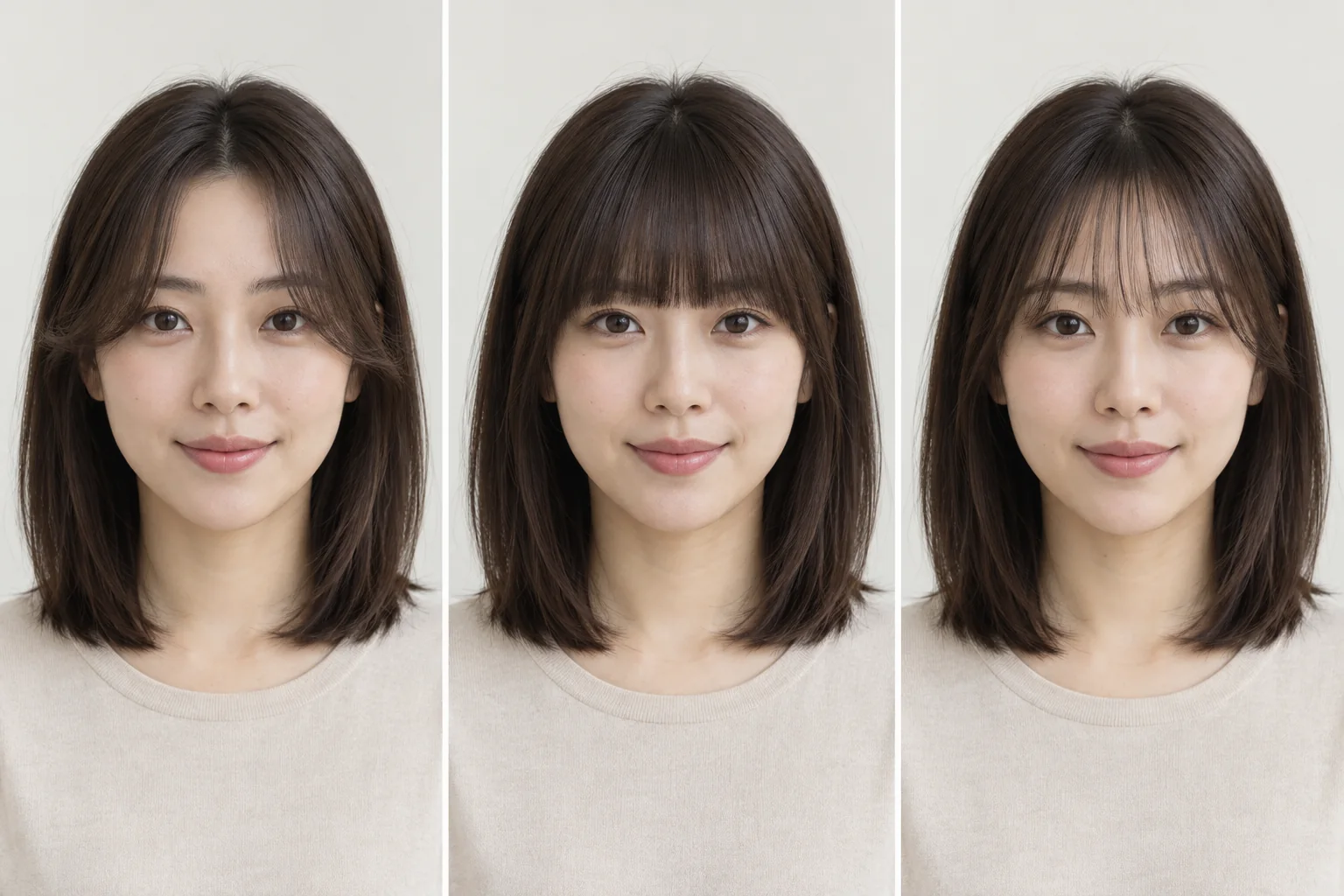
See the fringe shapes side by side
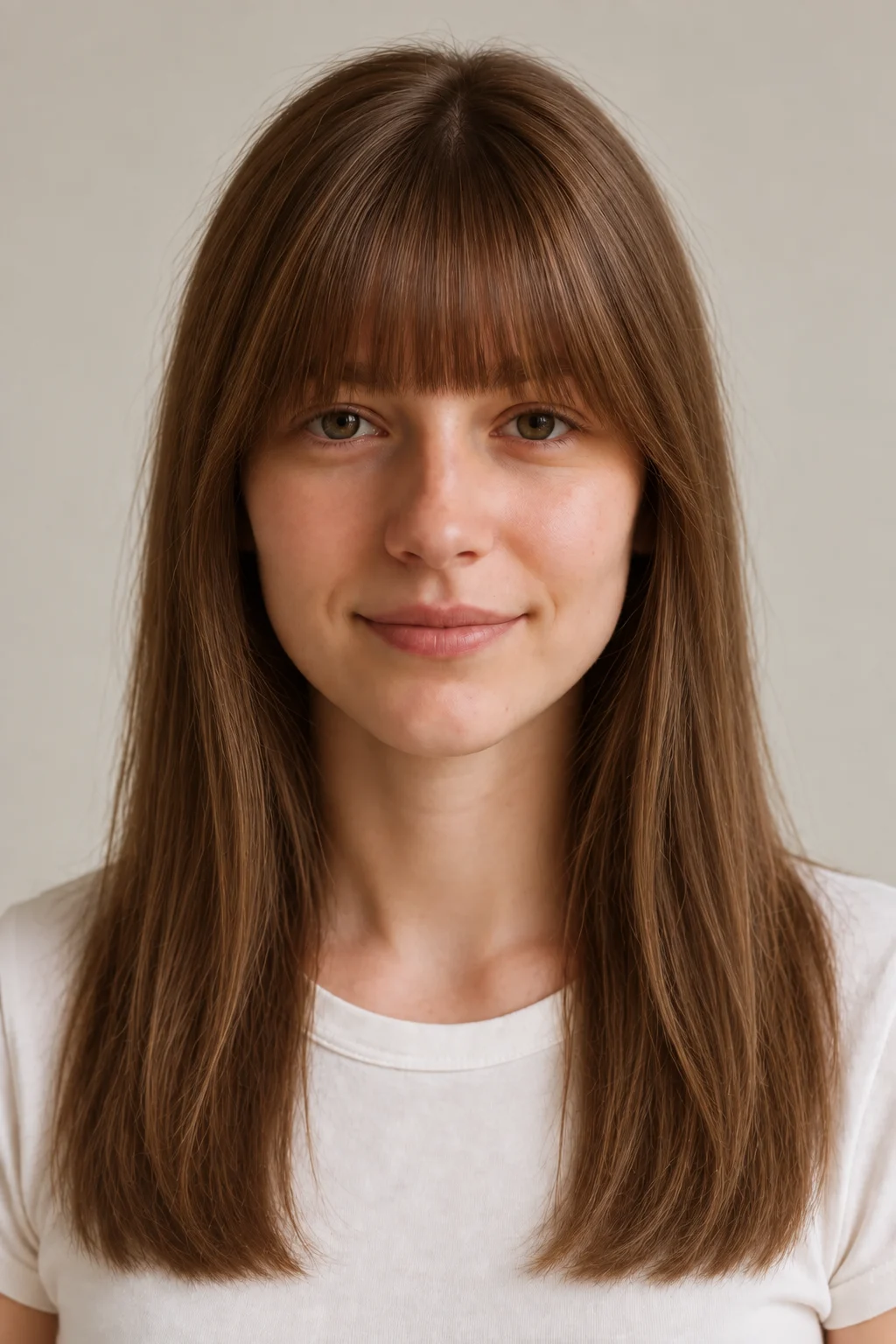
Blunt Bangs
A continuous edge across the forehead. Compare its brow coverage and visual weight with a lighter fringe.
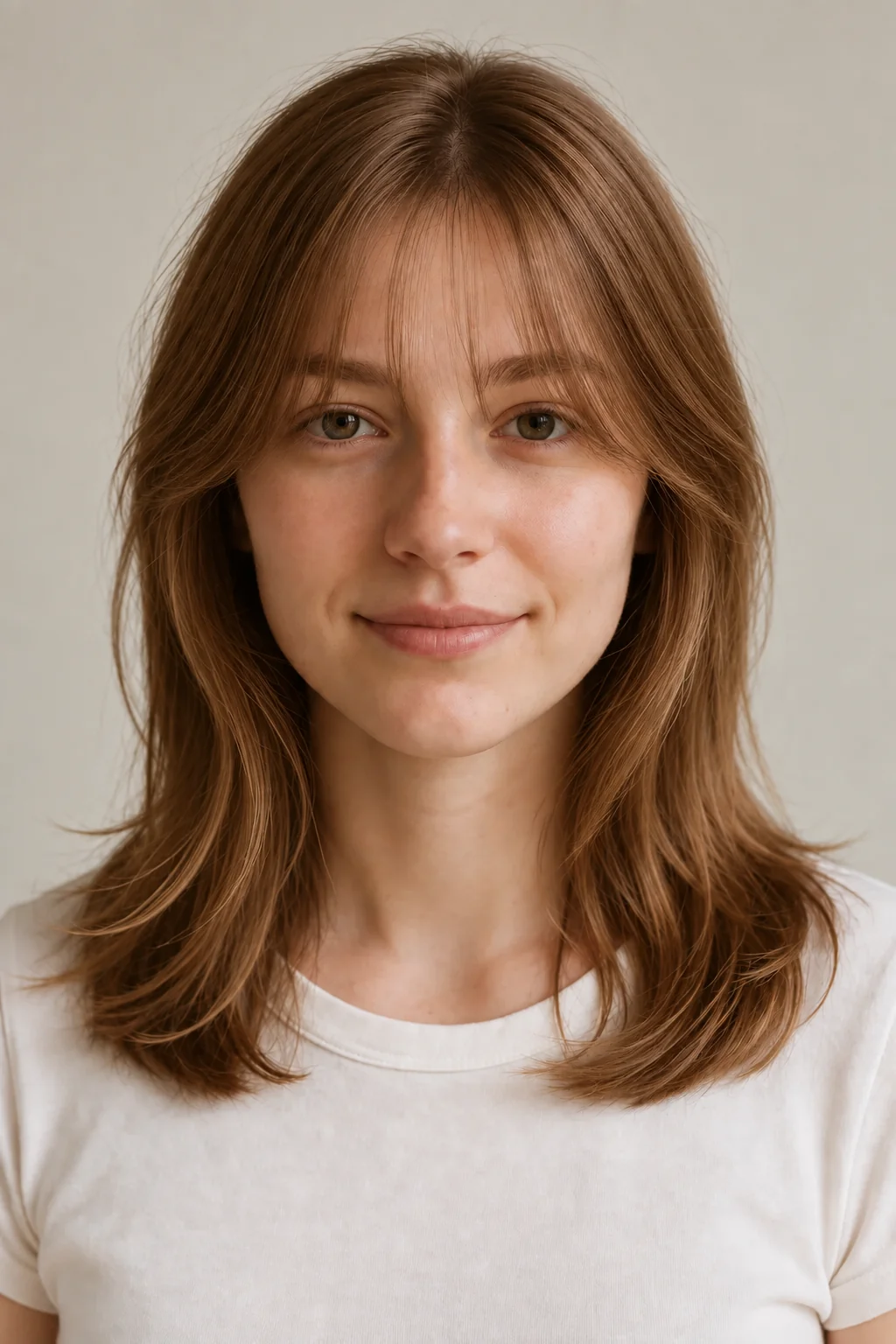
See-Through Bangs
A lighter fringe with space between strands. Compare how much forehead remains visible.
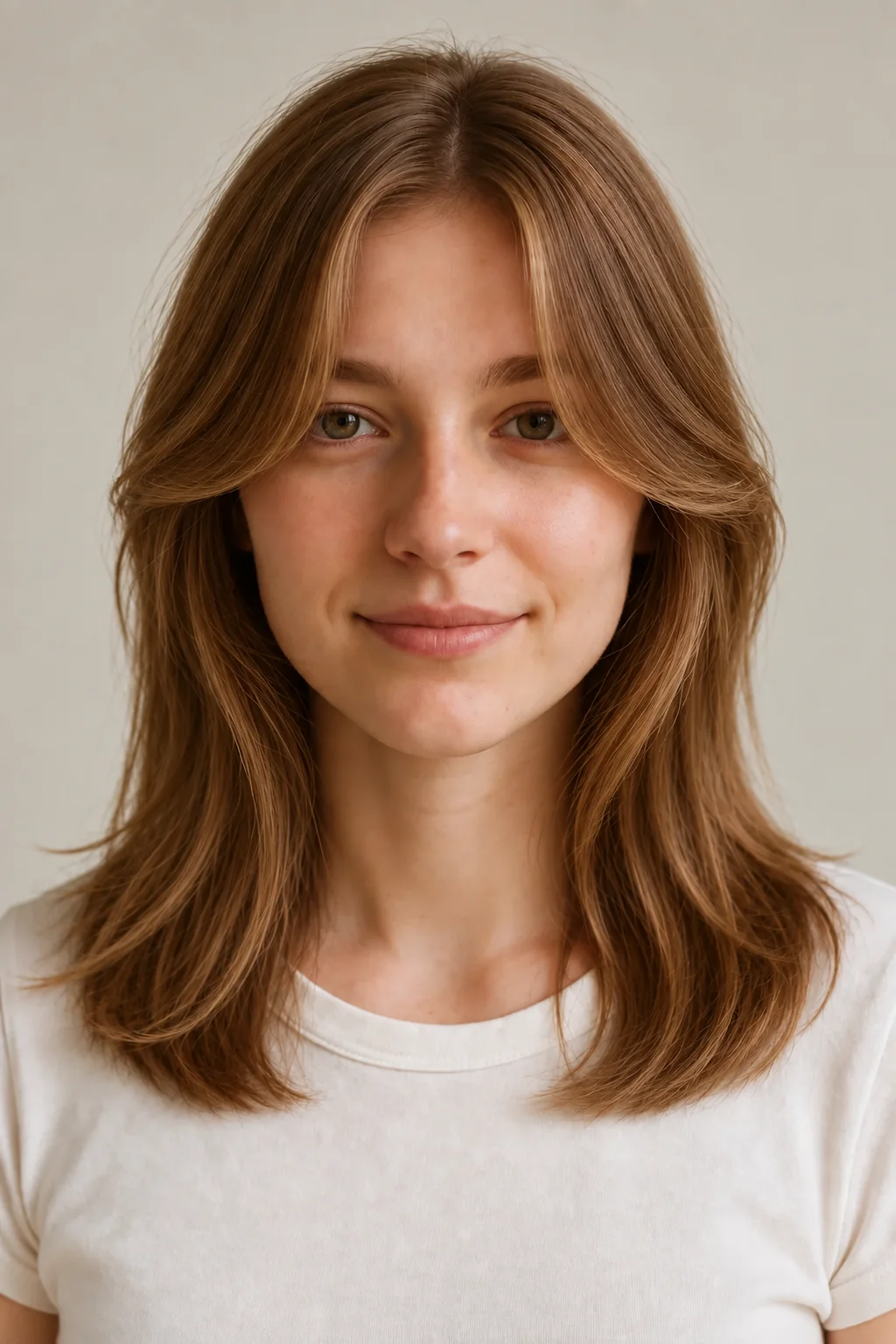
Curtain Bangs
A center opening that moves outward toward the cheekbones. Compare the open middle with a full fringe.
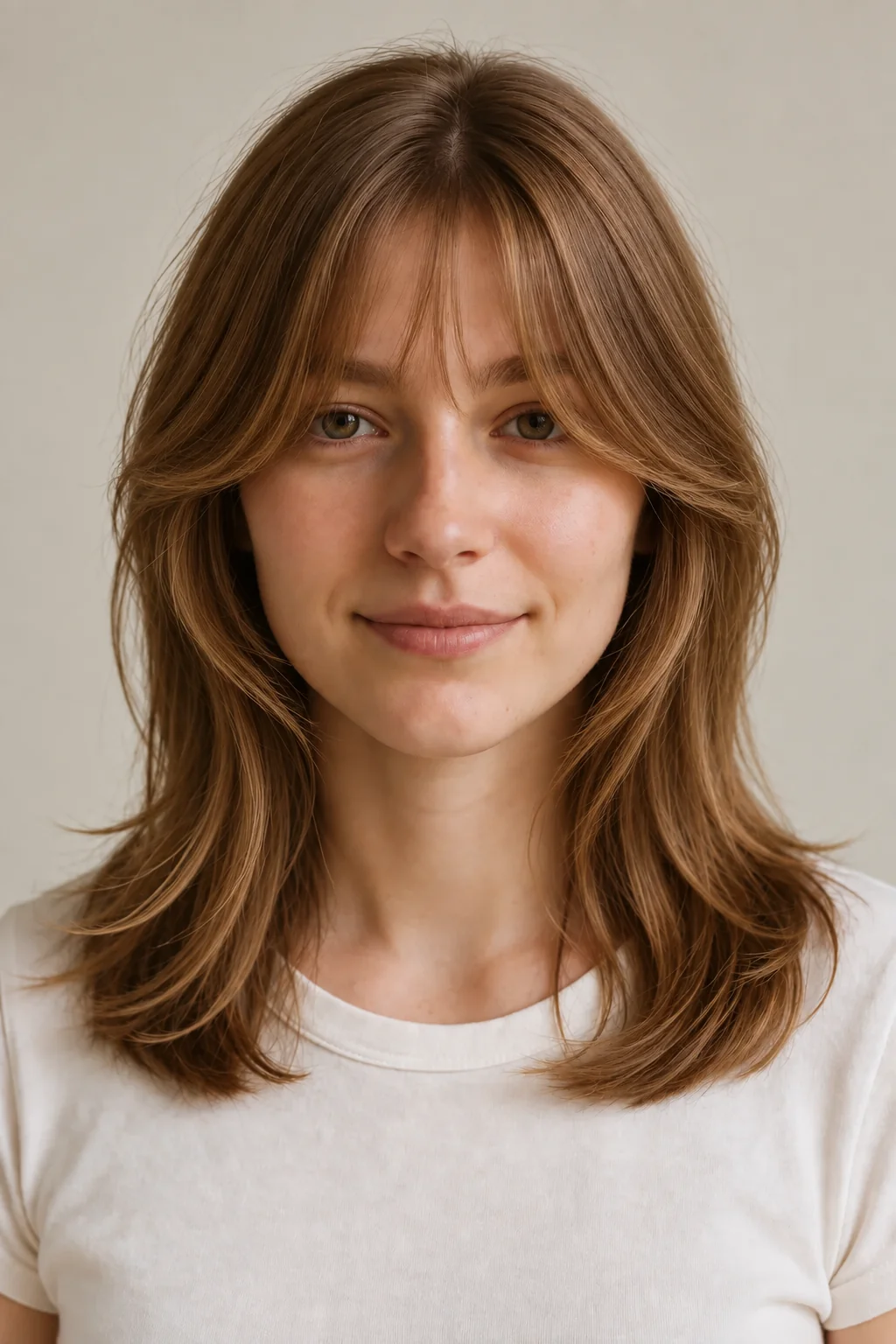
Bottleneck Bangs
A shorter center that widens toward the temples. Compare the curve from the brow area into the side sections.
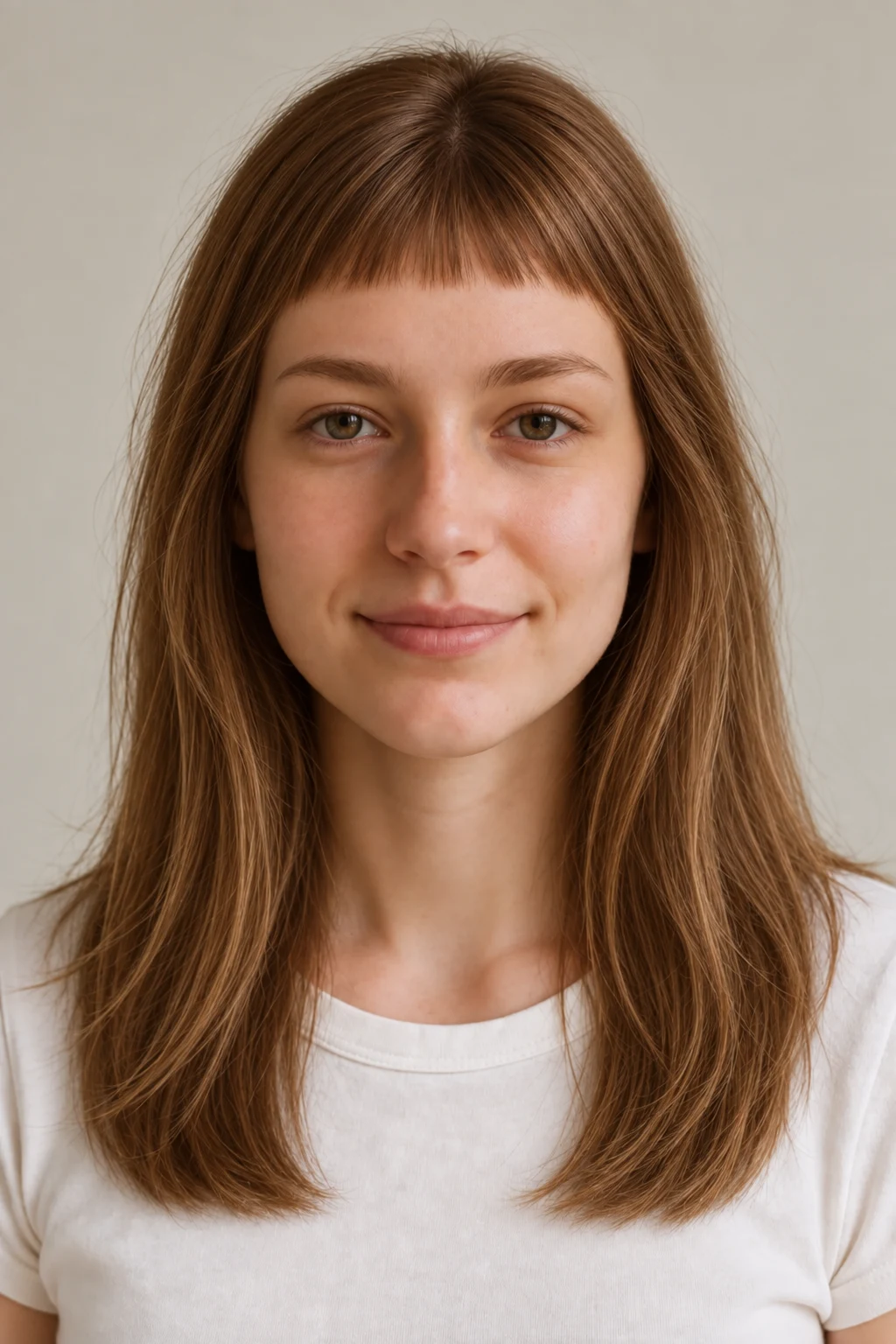
Micro Bangs
A short fringe that leaves more of the brow and eye area exposed. Compare the shortest visible point.
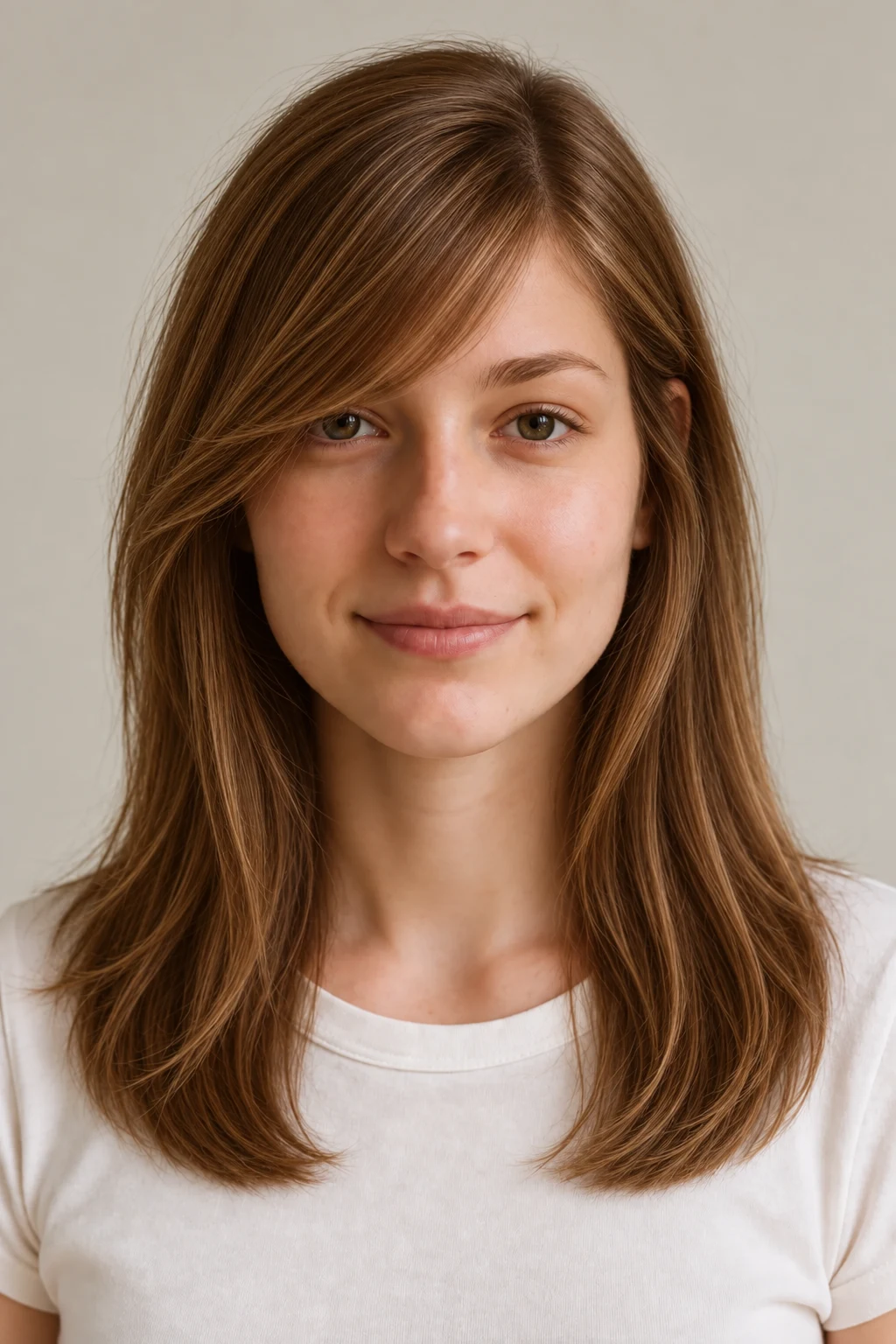
Side-Swept Bangs
A fringe directed to one side. Compare the diagonal line and the amount of forehead it leaves open.
Compare the hairstyle references, then try them on your own photo. Generated results can vary with lighting, angle, and face visibility.
Choose a fringe by coverage and direction
| Style | What to compare | Look for | What a photo can't settle |
|---|---|---|---|
| Blunt Bangs | A continuous brow-level edge | Compare line weight | Your natural fall completes the look |
| See-Through/Air Bangs | Lighter coverage with visible separation | Compare space between strands | Density is not measured from the preview |
| Curtain Bangs | An opening around the center part | Compare cheek framing | Your part and growth direction still matter |
| Bottleneck Bangs | A shorter center with longer outer pieces | Compare the outward curve | Stylist technique sets the actual blend |
| Micro/Baby Bangs | A visibly shorter fringe | Compare brow and eye exposure | A still image cannot show styling effort |
| Side-Swept Bangs | A diagonal direction across the forehead | Compare the side opening | A cowlick can alter the direction |
Compare fringe balance around your face
Start with the effect you want at the front. Blunt bangs make a continuous brow-level edge; see-through bangs leave visible space between strands; curtain bangs open around the center part; bottleneck bangs curve into the side sections. Compare where each option ends around the brows and cheeks, then bring the favorite visual direction to your stylist.
Use these rows as prompts for comparing visible balance, not as rules about which faces can wear a fringe. Try two contrasting references on the same photo, decide whether you prefer more or less forehead coverage, and discuss the practical cut with a stylist.
| Face shape | Compare first | Why |
|---|---|---|
| Round | Curtain and blunt bangs | Compare a center opening with a continuous brow-level edge.Careful with: Treating either outline as a face-shape rule. |
| Long / oblong | Blunt and bottleneck bangs | Compare fuller brow coverage with a curved transition at the sides.Careful with: Assuming one fringe length is required. |
| Square | Side-swept and see-through bangs | Compare a diagonal direction with lighter visible separation.Careful with: Choosing only from the face-shape label. |
| Heart | Curtain and see-through bangs | Compare an open center with lighter forehead coverage.Careful with: Ignoring the part you normally wear. |
| Oval | Two contrasting fringe references | Compare coverage and direction before choosing a style name.Careful with: Skipping practical styling questions. |
Try two contrasting fringe references
- 1
Upload a photo
Upload a clear, front-facing photo with the full head visible. You sign in or create an account when you generate.
- 2
Choose a bangs style
Select curtain, blunt, see-through, or another available fringe style from the hairstyle library.
- 3
Generate, download, and compare
Generate the selected look and download the preview. Keep the original photo the same when trying another style so the comparison is easier to read.
Set up a clear fringe comparison
Keep the forehead and brows visible so each fringe has the same clear reference point. Even light also makes the comparison easier to read.
- Face the camera straight on — no head tilt or three-quarter angles.
- Keep both eyebrows fully visible in the frame.
- Take off hats and headbands, and clip back any existing heavy bangs.
- Shoot in even, natural light — face a window and avoid harsh shadows.
- Pull hair completely off your forehead so the AI can see your hairline.
- Turn off beauty filters that slim, smooth, or reshape your face.
What a fringe preview helps you decide
A preview is at its best when you're comparing shape, length, and how a fringe balances your features. Some things a flat photo simply can't measure — here's an honest list.
What it shows well
- The overall shape and silhouette of each bang style
- The forehead coverage shown in the generated preview
- Where the bangs end relative to brows and eyes
- The visual effect on your face shape and features
What it can't predict
- Your true hair density — thick hair may need thinning to avoid a heavy shelf
- Cowlick direction, which decides where bangs part and flip in real life
- Curl shrinkage — curly bangs bounce up shorter once they dry
- Humidity, which reshapes real bangs hour by hour
- What bangs look like after daily blow-drying, not fresh from the salon
- Your stylist's layering and texturizing choices, which shape the final cut
Treat the preview as a visual reference, then let your stylist confirm the style suits your real texture, density, and cowlicks.
See it on your own face
Choose a hairstyle and add a clear photo, then sign in when you generate. This page does not preselect a style. Processing time and results vary.
Try a hairstyle on your photoBangs preview questions
Is the bangs preview generated from my actual face?
The tool generates a preview from your uploaded photo and selected style. Facial details, hair color, or other parts of the image can change during generation, so compare the result with the original before using it as a haircut reference.
Is my uploaded photo stored or used to train AI?
Photos are sent to third-party providers for generation and may be stored with your account. Read the Privacy Policy for current processing, retention, and deletion details before uploading. Read the Privacy Policy
Which photo gives the most accurate bangs preview?
Use a front-facing photo in even light, with your forehead and eyebrows visible. Clip existing bangs aside and avoid hats or beauty filters that reshape your face. Clearer input gives the preview more visible reference, but generation can still change facial details or fringe placement.
How do I know if bangs will suit me?
Compare curtain, blunt, and see-through references on the same photo. Look at brow coverage and the openings around your cheeks. Then discuss your hairline, texture, and styling routine with a stylist; the preview does not automatically select a suitable fringe.
Do bangs suit a round face?
A round face does not rule out bangs. Compare a parted fringe with a straight-across one and decide which outline you prefer. Face-shape labels are starting points, not restrictions on what you can wear.
Curtain bangs vs blunt bangs — which should I choose?
Choose curtain bangs if you want flexibility: they part around your face, pin back easily, and grow out gracefully. Choose blunt bangs if you want impact: a crisp, straight line that defines the whole haircut but demands regular trims and daily smoothing. Not sure which suits your face? Try both on your photo and compare them directly.
Will bangs suit my hair type — straight, wavy, or curly?
Every texture can wear bangs; only the cut changes. Straight hair holds blunt and micro styles with minimal effort. Wavy hair naturally settles into curtain and bottleneck shapes. Curly hair makes gorgeous bangs too, but curls spring up when dry, so they are cut longer and worn fuller. A generated texture is a visual approximation and does not measure your natural curl pattern.
Is the bangs filter free? Do I need to sign up?
An account is required to generate a preview. New accounts receive 2 starter credits. A standard hairstyle transformation uses 1 credit. Check the pricing page for other action costs and additional credits. View pricing and credits
Can I show the bangs preview to my hairstylist?
Yes. Download the preview and bring the original photo too. Explain which details you like, such as length or the outline at the sides. Your stylist or barber can assess what is achievable with your actual hair texture, density, and growth pattern.
Choose a fringe reference by naming the coverage, opening, and direction you like. That gives you a specific starting point for a haircut conversation.
Try it on your photoExplore more: AI Hairstyle Changer
Should I get bangs?
Compare fringe shapes, styling needs, and grow-out considerations before choosing.