Curly Hair Filter: Try Curls With Your Photo
Written by Style Look Lab Editorial Team · Updated September 2026 · 4 min read
Explore curl shape, volume placement, and apparent length as separate parts of the look. Compare a wave, a looser curl, and a tighter ringlet on the same photo before choosing a visual direction.
Pick a style and add your photo first; your first look needs no sign-up · 2 starter credits in total · 1 credit per standard preview.
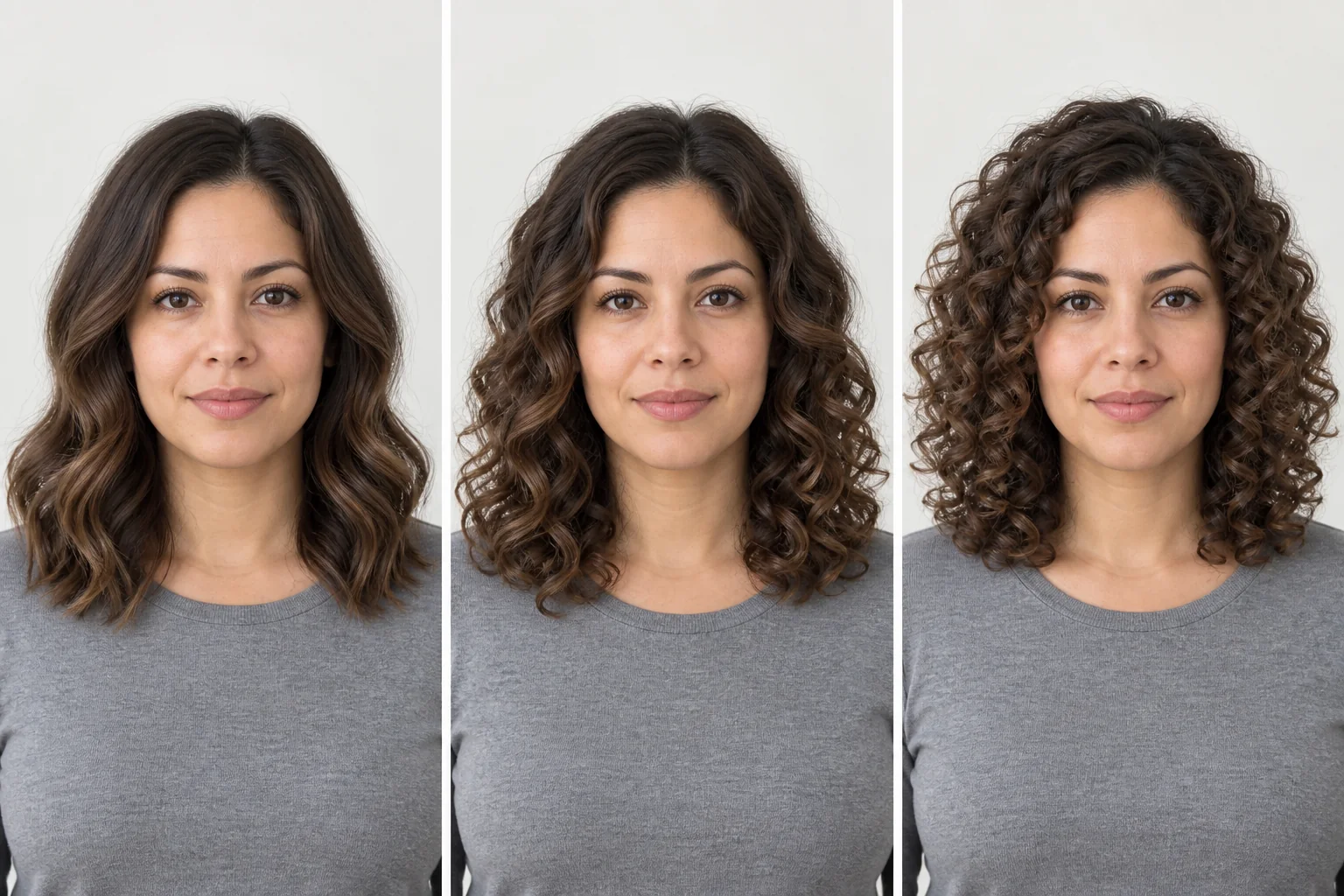
Explore curl definitions and volume
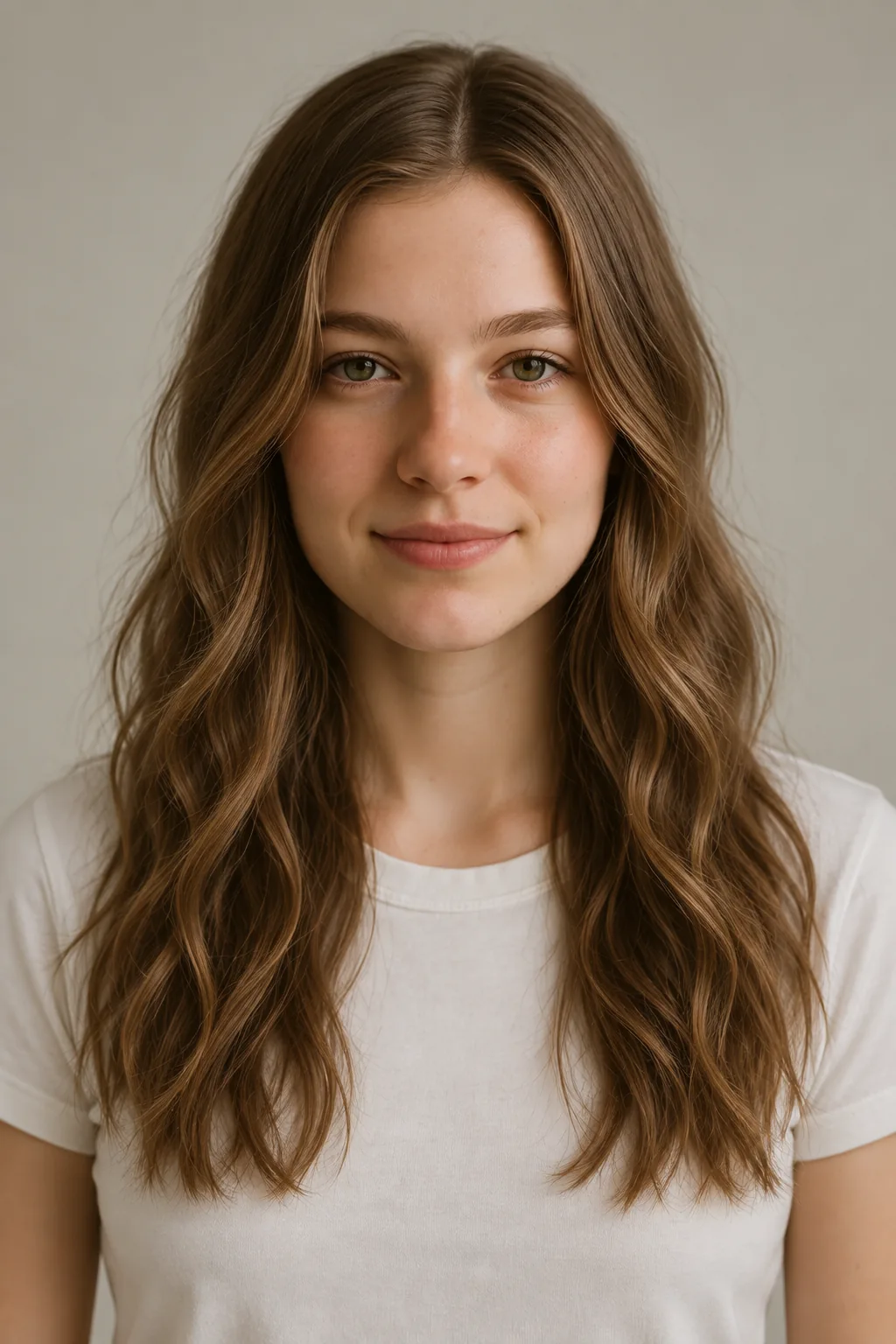
Beach Waves
A loose wave reference. Compare the gentle bend and where the outline widens.
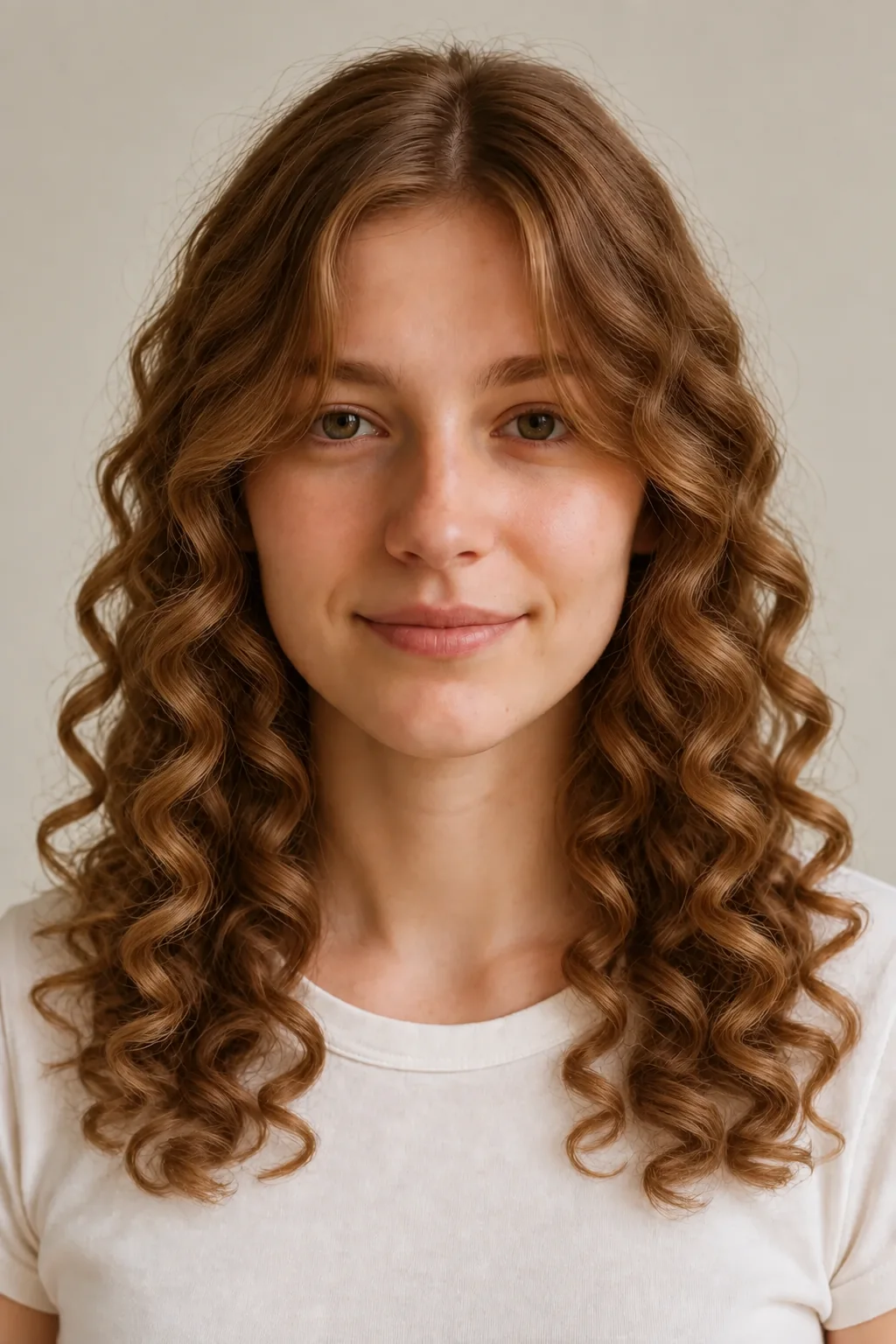
Long Spiral Curls
More defined curl bundles through a longer length. Compare visible length with fuller sides.
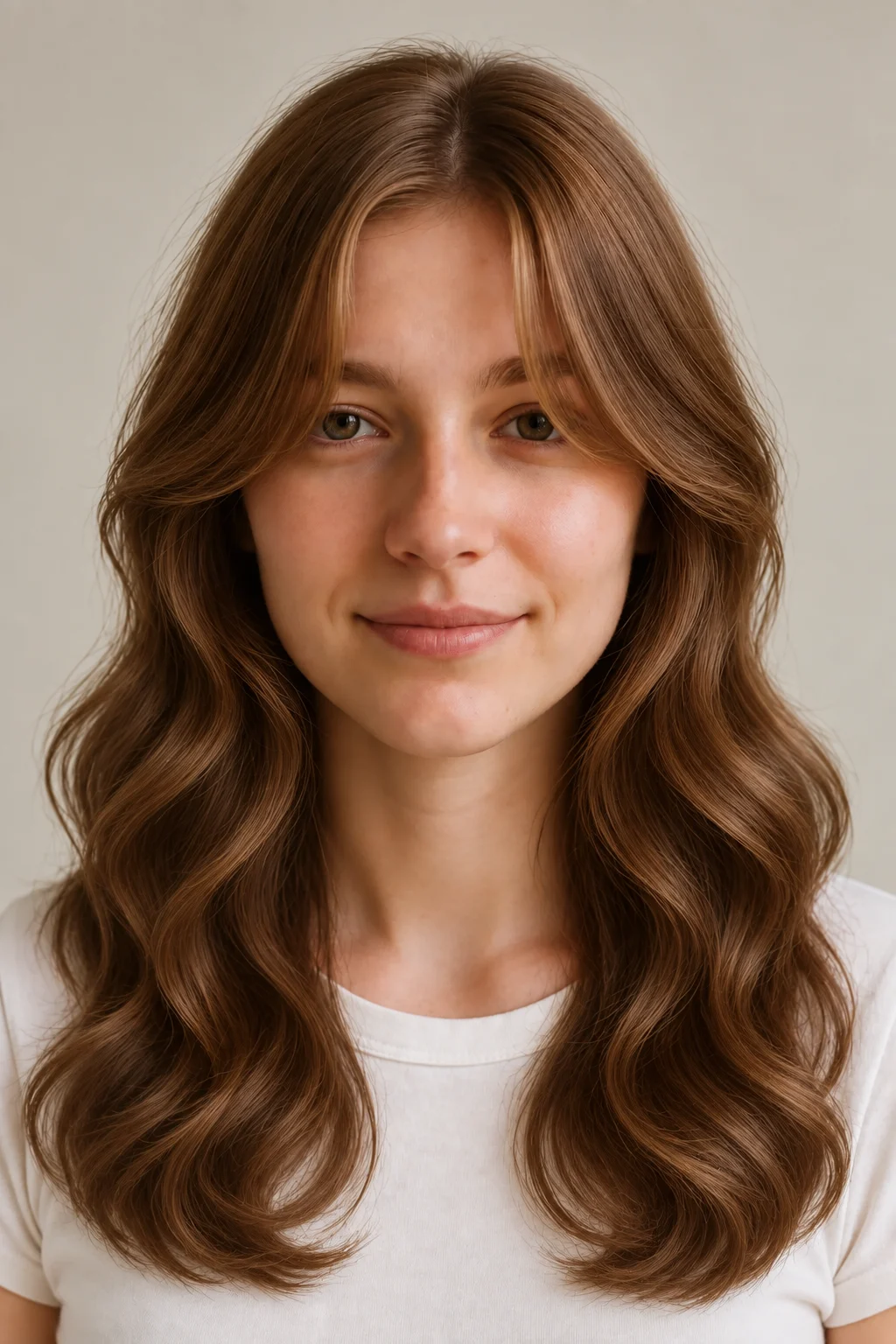
Long Digital Perm
An S-curl appearance reference. Compare the curl grouping and movement through the lengths.

Cold Wave Perm
A defined curl reference to compare with a looser wave. Look at definition and side width.

Curly Pixie Cut
A short textured reference where curl and cut both change. Compare it separately from long curls.

Long Layered Waves
A longer wavy reference with movement at the sides. Compare its volume placement with your source photo.
Compare the hairstyle references, then try them on your own photo. Generated results can vary with lighting, angle, and face visibility.
What a curl reference cannot predict
A curly hairstyle preview explores appearance. It does not test your hair or simulate a salon chemical process.
What it shows well
- An approximate wavy or curly outline around your face.
- Differences between selected hairstyle references.
- A visual reference you can discuss with a stylist.
What it can't predict
- How your own hair will react to a perm or retain a curl.
- Exact shrinkage, damage risk, or a treatment formula.
- The real styling time, products, or maintenance your hair will need.
A stylist needs to assess your actual hair and its treatment history before advising on a perm. A preview does not replace that assessment.
Separate curl shape from apparent length
| Style | What to compare | Look for | What a photo can't settle |
|---|---|---|---|
| Loose waves | A softer bend and less defined curl | Compare the widest point | Not a forecast of natural texture |
| Long spiral curls | More visible curl grouping | Compare apparent length | No shrinkage amount is predicted |
| Curly crop or shag | Texture together with a new cut | Compare cut and curl separately | Not a treatment recommendation |
Compare volume placement around the face
Look at curls in a fixed order. First, decide whether you prefer a soft bend or a more defined curl bundle. Next, notice where the hairstyle is widest: near the top, cheeks, or ends. Last, compare visible length. A curl reference can help you describe an appearance, whether or not you plan a chemical service.
These rows give you a way to look at the generated outline. Compare the location of volume and the apparent length with the same photo, then let a stylist assess real hair condition and treatment history if a salon service is under consideration.
| Face shape | Compare first | Why |
|---|---|---|
| Round | Waves and tighter curls | Compare whether the widest point sits at the cheeks, top, or ends.Careful with: Treating width as something you must hide. |
| Long | Waves and loose curls | Compare crown height and side fullness as separate details.Careful with: Choosing only from the face-shape label. |
| Angular | Loose waves and defined curls | Compare how each texture frames the jaw area.Careful with: Assuming a softened outline is always your goal. |
Keep the whole hair outline in view
Keep your complete hair outline visible so texture and width are easier to compare across curl references.
- Use even light and a clear, front-facing photo.
- Keep the top of your head and both sides of your hair in the frame.
- Avoid hats, heavy beauty filters, and objects covering your face.
- Use the same photo for each style and compare the face as well as the hair.
Compare curl references on the same photo
- 1
Upload a photo
Upload a clear photo with your whole head visible. Your first look needs no account; sign in or create one for more.
- 2
Choose a curly hairstyle
Select an available wave, spiral curl, perm-inspired style, or curly crop from the hairstyle library.
- 3
Generate and compare
Download the result and compare it with the original. Use the same source photo to try a different curl shape.
See it on your own face
Choose a hairstyle and add a clear photo, then generate your first look with no sign-up. This page does not preselect a style. Processing time and results vary.
Try a hairstyle on your photoCurly-hair preview questions
What should I compare in a curly hair preview?
Compare curl definition, where the hairstyle appears widest, where the curl begins, and the visible length. These details can change independently, so use the same original photo for each reference.
Can men and women try curly hairstyles?
Yes. The hairstyle library includes curly and wavy hairstyle references for men and women. Choose the relevant category and a style you want to compare with your uploaded photo.
Can a preview tell me how much my hair will shrink?
No. A generated appearance cannot be converted into a personal shrinkage amount. It does not measure your curl pattern, elasticity, or how your hair responds after drying.
Do I need to get a perm to use a curly hair filter?
No. You can use the references to explore a curly appearance. A real treatment is a separate decision that requires a stylist to assess your hair and history.
Is the curly hair filter free?
Your first preview needs no account. After that you need a free account: new accounts receive 2 starter credits in total, and the no-sign-up preview counts toward them. A standard hairstyle transformation uses 1 credit. Check the pricing page for other action costs and additional credits. View pricing and credits
What happens to my uploaded photo?
Photos are sent to third-party providers for generation and may be stored with your account. Read the Privacy Policy for current processing, retention, and deletion details before uploading. Read the Privacy Policy
Can I download the preview for my stylist?
Yes. Download a result and bring your original photo too. Point out the shape and curl definition you like, then ask your stylist what is achievable with your hair and routine.
Name the curl shape, the widest point, and the apparent length you like. That turns a preview into a useful conversation starter.
Try it on your photoExplore more: AI Hairstyle Changer
How to preview curly hair before a perm
Compare curl shapes and learn which questions a visual preview cannot answer before a salon treatment.