Short Hair Filter: See Yourself With Short Hair
Written by Style Look Lab Editorial Team · Updated September 2026 · 6 min read
Compare where the ends sit around your ears, chin, and neck to find the shorter outline you want to discuss. A shorter style is not one effect: length, exposed ear area, and layers can change separately.
Pick a style and add your photo first; sign in when you generate · 2 starter credits · 1 credit per standard preview.
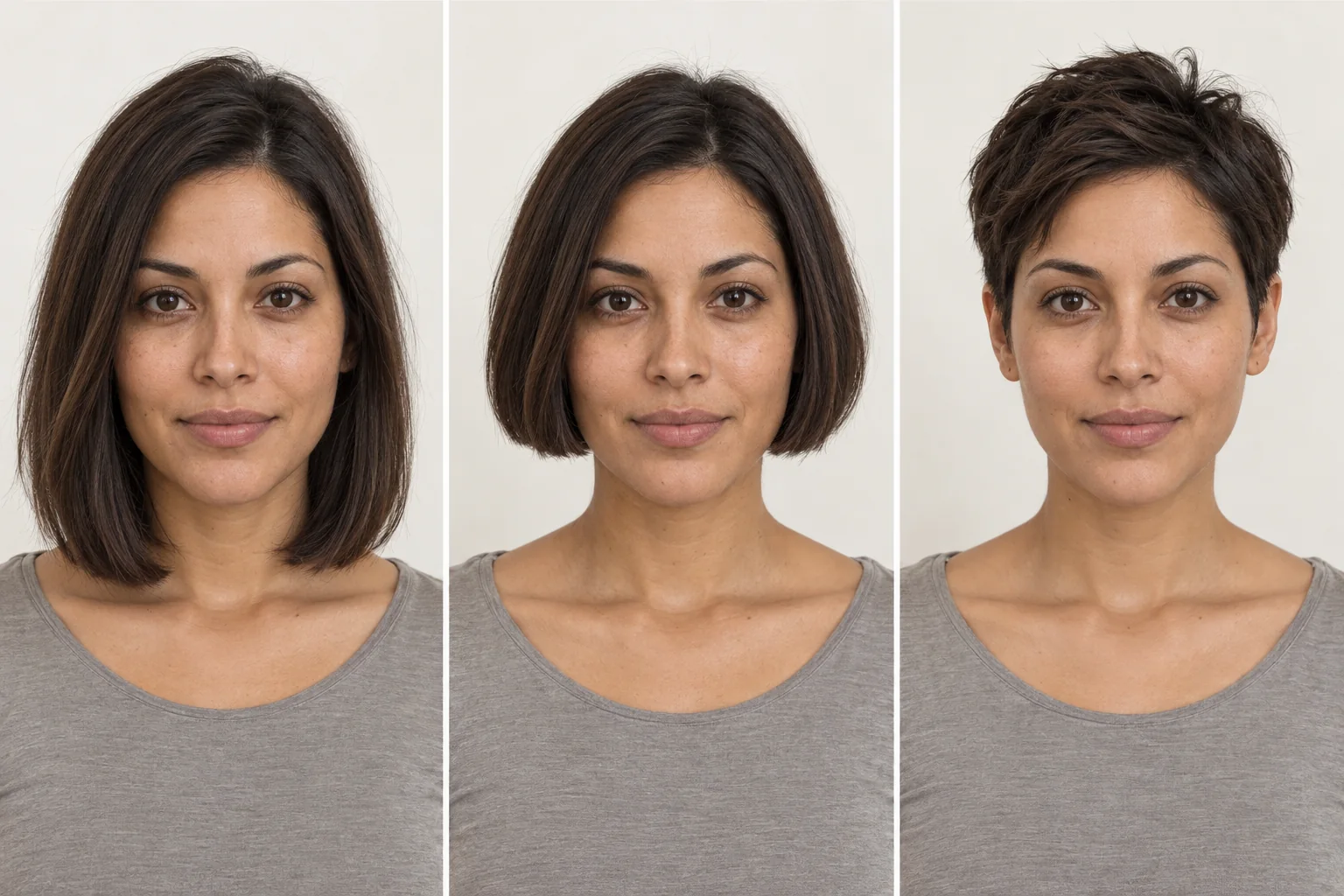
Start with the length landmark
| Style | What to compare | Look for | What a photo can't settle |
|---|---|---|---|
| Pixie Cut · Classic | A shorter, more exposed outline | Compare ear and neck exposure | Daily styling is not shown |
| Long Pixie | More exposed ear area with retained top length | Compare ear and top coverage | Texture and parting can change the finish |
| Bixie | Layers as well as reduced length | Compare crown shape | A photo does not specify layering technique |
| Short Shag / Wolf Cut | A textured layered edge | Compare movement and visible ends | Finished texture can require styling |
| Blunt Bob | A chin-area line | Compare jaw and neck outline | Back-of-head shape is outside a front photo |
| Long Bob (Lob) | A collarbone-area endpoint | Compare shoulder and neck coverage | A preview cannot prove it can be tied back |
Compare length landmarks before face-shape labels
Use visible landmarks instead of a broad label. A lob keeps length near the collarbone; a chin bob changes the jaw and neck outline; a pixie exposes more ear and neck; a bixie and short shag introduce layers as another variable. First choose the shortest endpoint you can picture, then compare layers or texture.
These rows are prompts to compare visible proportions, not a system for deciding which short cut a face should wear. Keep the source photo consistent and compare a collarbone, chin, and ear-exposing reference before discussing texture, parting, and real hair behavior with a stylist.
| Face shape | Compare first | Why |
|---|---|---|
| Round | Long pixie and chin bob | Compare exposed ear area with the endpoint around the jaw.Careful with: Treating either length as a face-shape rule. |
| Long / oblong | Chin bob and collarbone lob | Compare a jaw-level line with an endpoint closer to the shoulders.Careful with: Choosing from one feature alone. |
| Square | Short shag and blunt bob | Compare a layered edge with a cleaner line around the jaw.Careful with: Assuming softer texture is always the goal. |
| Heart | Lob and long pixie | Compare collarbone coverage with ear and neck exposure.Careful with: Ignoring the length you want to keep. |
| Oval | Three length landmarks | Compare a lob, chin bob, and pixie before style naming.Careful with: Skipping lifestyle constraints. |
Inspect the cut, layer by layer
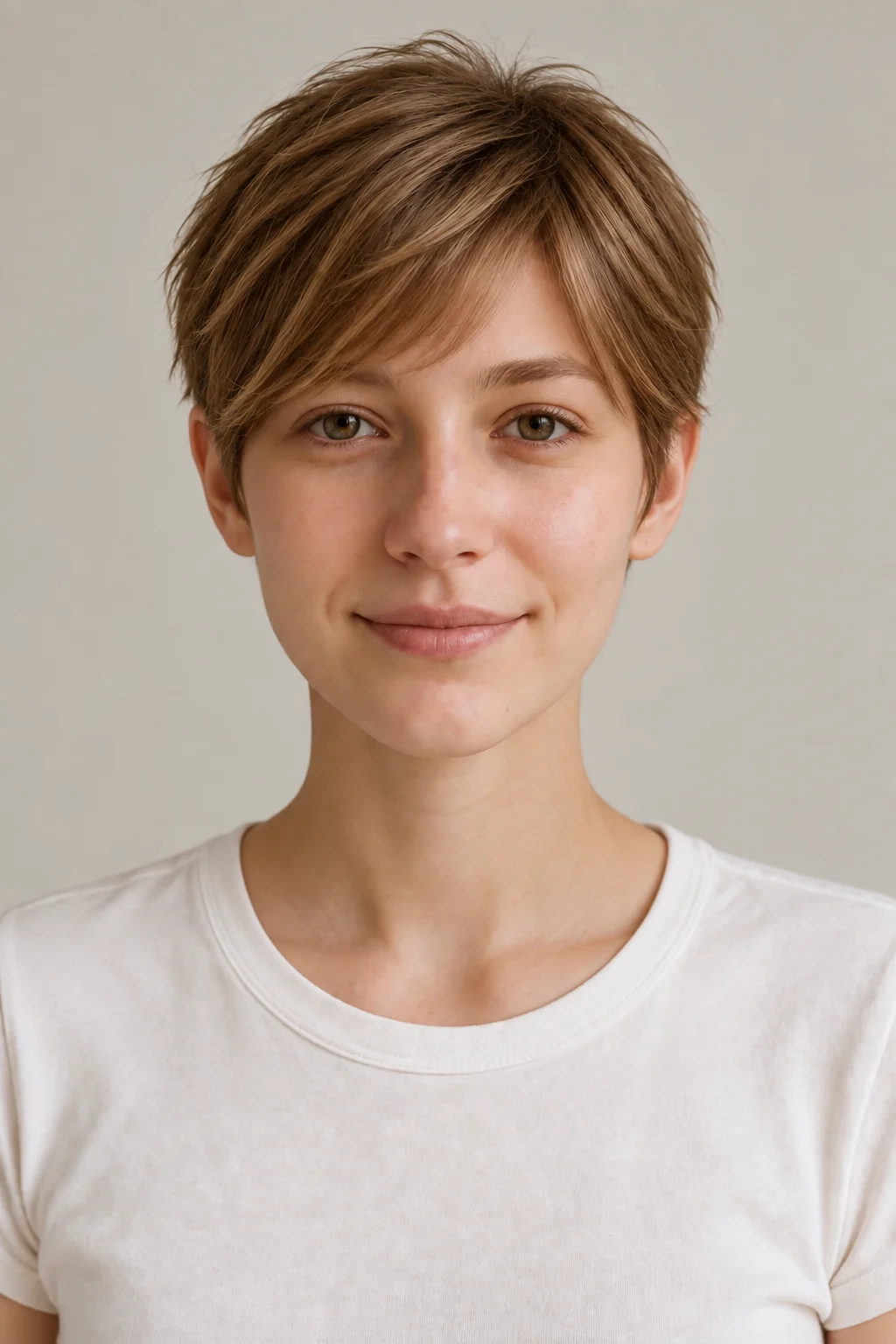
Classic Pixie Cut
A short crop that exposes the ears and neck. Compare the amount of visible head and neck space.
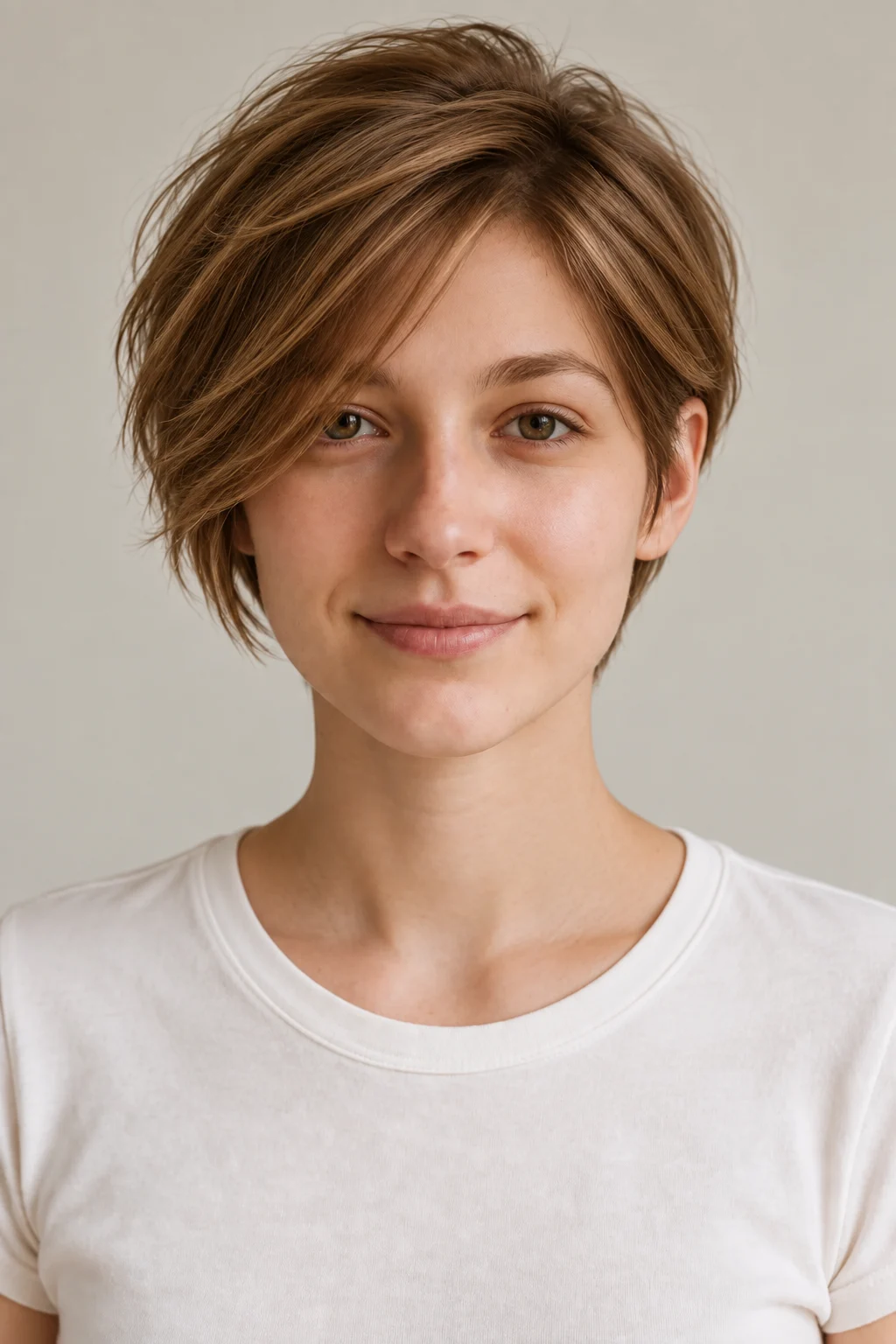
Long Pixie Cut
A pixie with more length through the top and sides. Compare it with the classic pixie before judging texture.

Bixie Haircut
A layered middle point between a bob and pixie. Compare its crown shape separately from length.
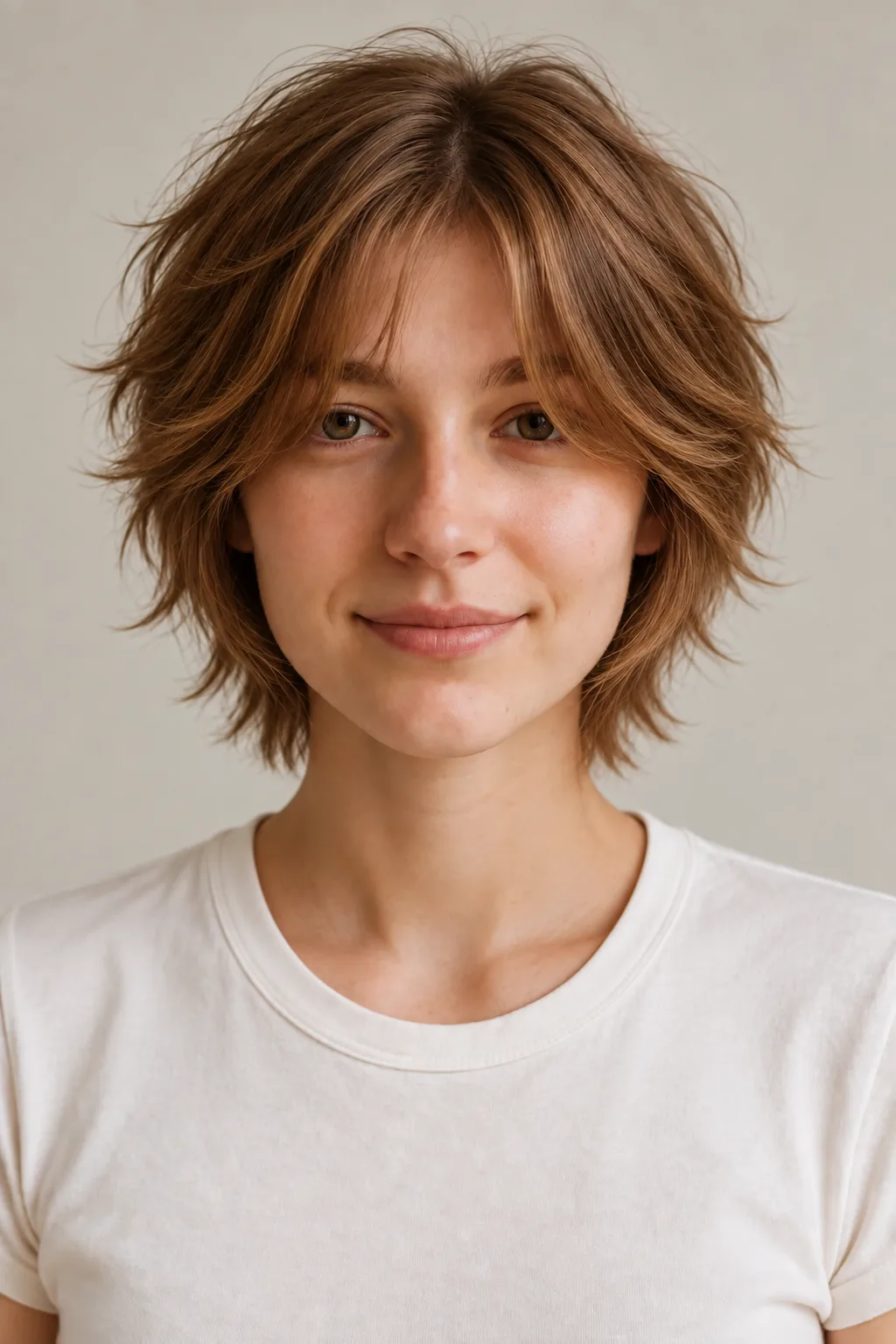
Short Shag Haircut
A layered, textured outline. Compare the broken edge with a cleaner bob line.

Blunt Bob Haircut
A defined line around the jaw. Compare where the ends meet the chin and neck.

Long Bob (Lob)
A longer short-hair reference near the collarbone. Compare this endpoint before considering a larger cut.
Compare the hairstyle references, then try them on your own photo. Generated results can vary with lighting, angle, and face visibility.
Compare short-hair endpoints on one photo
- 1
Upload a photo
Upload a clear, front-facing photo with the full head visible. You sign in or create an account when you generate.
- 2
Choose a short hairstyle
Select a pixie, bob, bixie, or another available short style from the hairstyle library.
- 3
Generate, download, and compare
Generate the selected look and download the preview. Keep the original photo the same when trying another style so the comparison is easier to read.
Show the jaw, neck, and shoulders
Keep the jaw, neck, and shoulders in a clear photo so the length landmarks are visible from the same viewpoint.
- Face the camera straight on — a head-on angle keeps your proportions true.
- Show your neckline and jaw — short cuts live and die by that outline.
- Skip hats, hoods, and thick headbands; they hide where hair actually sits.
- Use even, natural light — harsh shadows distort your face shape.
- Tuck long hair behind your shoulders or into a low bun so the short silhouette is easier to imagine.
- Turn off beauty filters — a smoothed photo gives you a flattering lie, not a preview.
What a front-view length comparison leaves out
A short-hair preview helps compare visible shapes and lengths. It cannot assess the texture or behavior of the hair itself.
What it shows well
- The overall silhouette and length of each short cut on your head
- How a cheekbone- or jaw-length line changes the look of your face and jaw
- Where a fringe or parting would fall and how it frames your features
- Your overall proportions with short hair — head, neck, and shoulders together
What it can't predict
- Your true hair density and how much natural volume a cut will hold
- Cowlicks and your natural part, which can veto a style all by themselves
- How much curly hair shrinks as it dries — a dry cut can sit far higher than expected
- What humidity does to the shape by mid-afternoon
- How the cut looks after you style it your own way each morning
- The layering and texturizing decisions a good stylist makes on the fly
Treat the preview as your shortlist-maker, and treat your stylist as the final word on what your hair will actually do.
See it on your own face
Choose a hairstyle and add a clear photo, then sign in when you generate. This page does not preselect a style. Processing time and results vary.
Try a hairstyle on your photoShort-hair preview questions
Will the preview actually look like me, or like a model with my haircut?
The tool generates a preview from your uploaded photo and selected style. Facial details, hair color, or other parts of the image can change during generation, so compare the result with the original before using it as a haircut reference.
What happens to my photo after I upload it?
Photos are sent to third-party providers for generation and may be stored with your account. Read the Privacy Policy for current processing, retention, and deletion details before uploading. Read the Privacy Policy
What kind of photo gives the most accurate result?
A sharp, front-facing shot in even natural light, with your neckline and jaw visible and no hat or heavy filter. If your hair is long, tuck it behind your shoulders so the outline of a short cut renders cleanly. Phone selfies are fine — clarity matters more than camera quality.
How do I compare short-hair lengths?
Start with where the ends sit: near the collarbone, chin, ears, or neck. Compare those landmarks on the same source photo before deciding whether you also want layers or texture.
Can a preview tell me whether I can still tie my hair back?
No. A front-facing preview does not show movement, all sides of the cut, or your exact hair length. Treat tie-back needs as a question for a stylist.
Can I see the back of a short haircut?
Not from a front-facing source photo. The preview is best for the visible face, jaw, and neck outline; it cannot verify the back shape or crown.
Is a pixie just a shorter bob?
They change different landmarks. A pixie generally exposes more ears and neck, while a bob keeps a line around the jaw or chin. Compare those visible effects directly.
What if I cut it and regret it — how long does growing it back take?
Honestly, a long time — which is exactly why previewing first matters. Growing out short hair does involve an awkward phase, but headbands, clips, and scarves carry you through it, and volumizing product keeps the in-between stages looking intentional. Choosing a lob or long pixie first also shortens the road back if you change your mind.
Is the short hair filter free to use?
An account is required to generate a preview. New accounts receive 2 starter credits. A standard hairstyle transformation uses 1 credit. Check the pricing page for other action costs and additional credits. View pricing and credits
Can I show the previews to my hairstylist?
Yes. Download the preview and bring the original photo too. Explain which details you like, such as length or the outline at the sides. Your stylist or barber can assess what is achievable with your actual hair texture, density, and growth pattern.
Choose the endpoint first: collarbone, chin, ear, or neck. Then use the preview to explain whether you also like a clean line or visible layers.
Try it on your photoExplore more: AI Hairstyle Changer
Should I cut my hair short?
Compare lengths, styling commitments, and what you want to keep before booking a haircut.