A curly-hair preview helps you decide whether you want to discuss a perm at all, as well as describe the appearance you want at a consultation. Choose the bend or curl shape, where it begins, where the hair looks widest, and where the dry ends appear to fall.
Those observations give a stylist a usable visual brief. They do not determine whether a perm is suitable for your hair or prescribe how to create it.
What curl result are you trying to describe?
Start with a plain-language direction:
- “I want soft waves rather than distinct curl bundles.”
- “I like loose curls, but I want less width beside my cheeks.”
- “I want a tighter curl appearance while keeping more visible length.”
- “I prefer texture beginning through the mid-lengths instead of close to the roots.”
Avoid using “perm” as the entire description. The same word can hide very different preferences about definition, volume, starting point, and length.
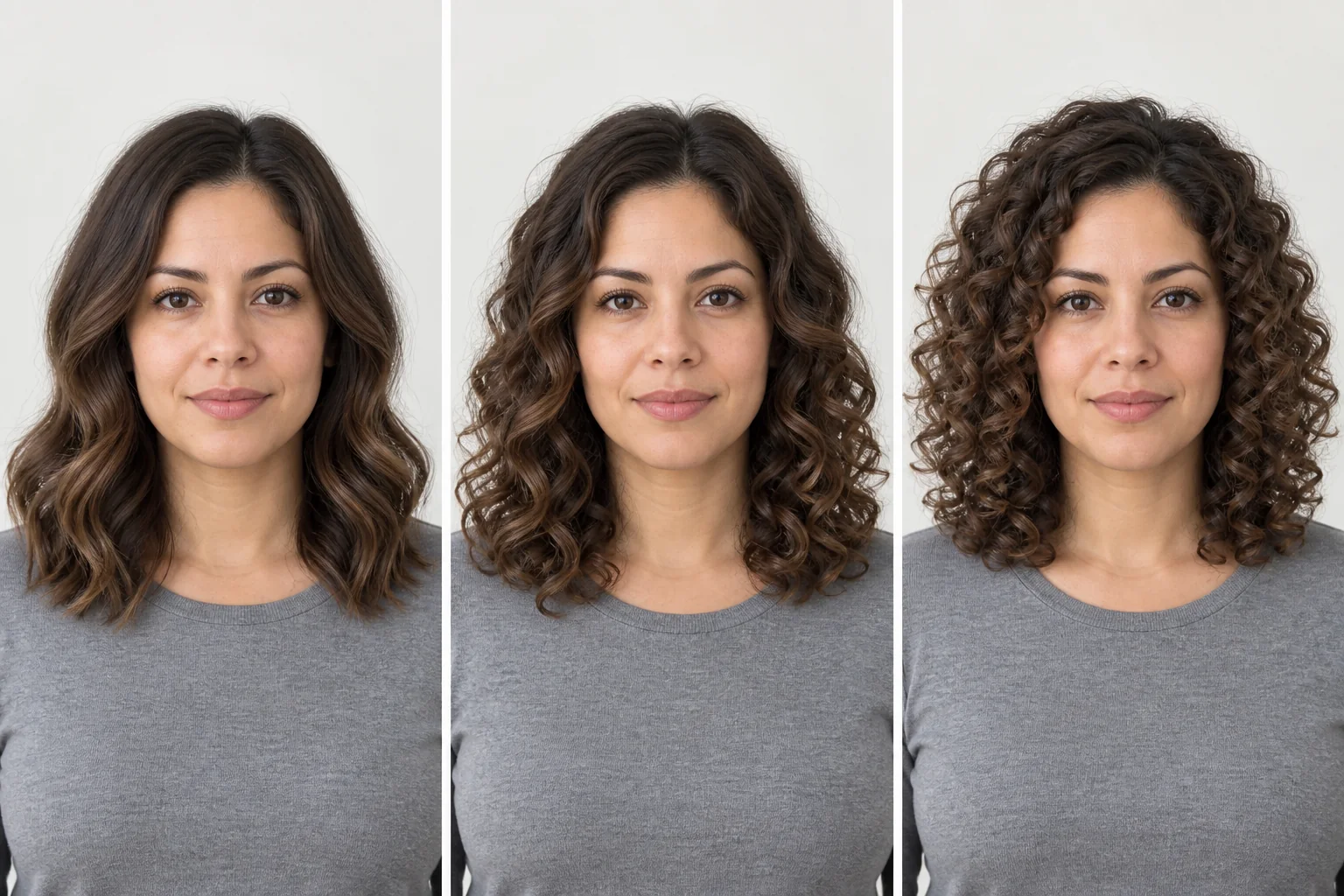
Which details should you separate in the image?
Read a curly reference in four passes:
- Curl shape: broad bends, loose curls, or tighter, more distinct bundles.
- Starting point: texture beginning near the roots or farther down the lengths.
- Volume placement: the widest area near the crown, cheeks, or ends.
- Dry endpoint: where the styled ends appear to sit around the shoulders, neck, or face.
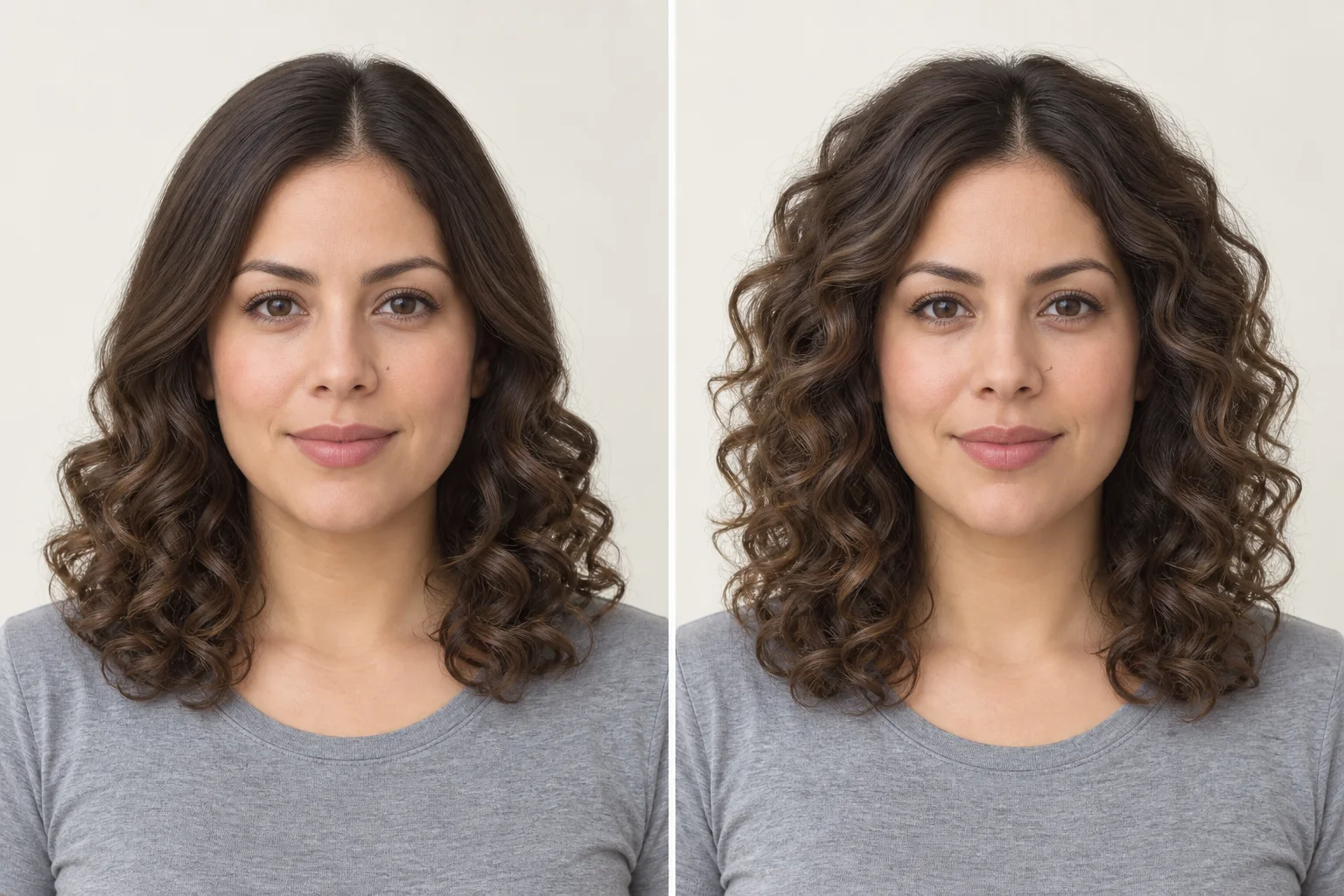
Apparent length often changes when straighter hair is shown with more bend. Do not use the difference in a generated image as a shrinkage measurement. If length matters, say where you want the dry result to land and ask how that goal relates to your current hair.
The curly hair filter can help you compare visible curl directions with one source photo.
How do you turn a preview into consultation questions?
Translate each visual preference into one description and one question:
| Detail you like in the image | Words you can use | Ask the stylist |
|---|---|---|
| Broad wave rather than a distinct curl bundle | “I prefer a loose bend and less curl definition.” | What degree of bend is realistic with my current texture and length? |
| Texture beginning through the mid-lengths | “I want the visible change to begin lower down.” | How could the shape and styling place the movement this way? |
| Less width beside the cheeks | “I like the curl, but want a narrower outline here.” | How would length, cut, and daily styling affect this volume? |
| A particular dry endpoint | “I want the dry ends to sit around this point.” | How should we assess the starting length needed for that endpoint? |
| A polished, separated finish | “I like the definition between these sections.” | What routine would be needed to create and maintain that finish? |
These are conversation prompts, not technical instructions. They help separate what is visible in the image from what must be assessed in person.
What should you bring besides the image?
Bring the original photo, one preferred preview, and notes about the four details above. Also tell the stylist:
- how you normally wash, dry, and style your hair;
- which look you can realistically maintain on ordinary days;
- your relevant color and chemical-service history;
- whether you are open to a supporting haircut or want to preserve the current length;
- whether you want a temporary styled look or are considering a longer-lasting service.
The picture cannot carry this history. Sharing it directly gives the consultation a better starting point.
Do you want a temporary curly look or a perm?
Try a temporary curled or wavy style first when you mainly want to see yourself with texture, want straight and curly days to remain equally available, or are unsure how much daily shaping you enjoy. A perm is a bigger commitment because it changes the hair’s texture; liking the preview alone is not a reason to skip that comparison.
Consider a perm consultation when the curl direction still appeals after you have tried a temporary look and you are willing to discuss the washing, conditioning, and styling routine behind it. Wella notes that permed hair still benefits from care and styling, so use the appointment to ask what the pictured level of definition would require on your ordinary days.
Why can a preview not answer the perm decision?
A generated image shows an appearance; it does not inspect hair condition or predict how your hair will respond to a salon service. It also cannot show how the result will behave after washing, sleeping, weather, and everyday styling.
Wella Professionals’ perm overview explains that a perm changes hair texture, may still need styling, and should be preceded by a consultation that considers hair condition. Use that as a reason to ask for an in-person assessment, not as a remote treatment formula.
Do not choose products, processing details, timing, or a perm method from a preview or from a hairstyle-library name.
Should I get a perm if I like the preview?
Liking the preview tells you that the visible direction is worth discussing. Whether to get a perm also depends on your actual hair and the routine behind the result:
- Appearance preference: Which curl shape, starting point, volume placement, and dry endpoint do I like?
- Current hair: What does the stylist observe about my hair condition, length, texture, and previous services?
- Daily routine: Am I comfortable with the styling and care needed for the result we discuss?
You can be certain about the first answer and undecided about the other two. The preview has still done its job: it gives the consultation a specific direction while the in-person assessment and routine decide whether you proceed.
Decide from the life you want after the appointment
Ask yourself whether you enjoy keeping a consistent curly look, or whether switching between straight and curled hair is part of what you like. Also be honest about the time you will give to washing, conditioning, detangling, and arranging the result. If that routine feels burdensome, a temporary style may answer the visual question without committing to the service.
If you have color or previous chemical services in your hair, do not infer the next step from a generated result. Share that history and your goal with the stylist, then ask for an assessment of whether to proceed, adjust the goal, or wait. Wella’s guidance places the hair-condition conversation before the service; it is the appropriate next step for this part of the decision.
If shorter hair is also part of the idea, use the short-hair decision guide to evaluate length separately from texture.